UTM Forge
CAMPAIGN LINKS// Fast & easy UTMS, just one click away
UTM Forge builds clean UTM links from your saved presets, so every campaign uses the same names. Star the links you reuse, then copy them from any page with a right-click. It all stays in your browser.
Add to Chrome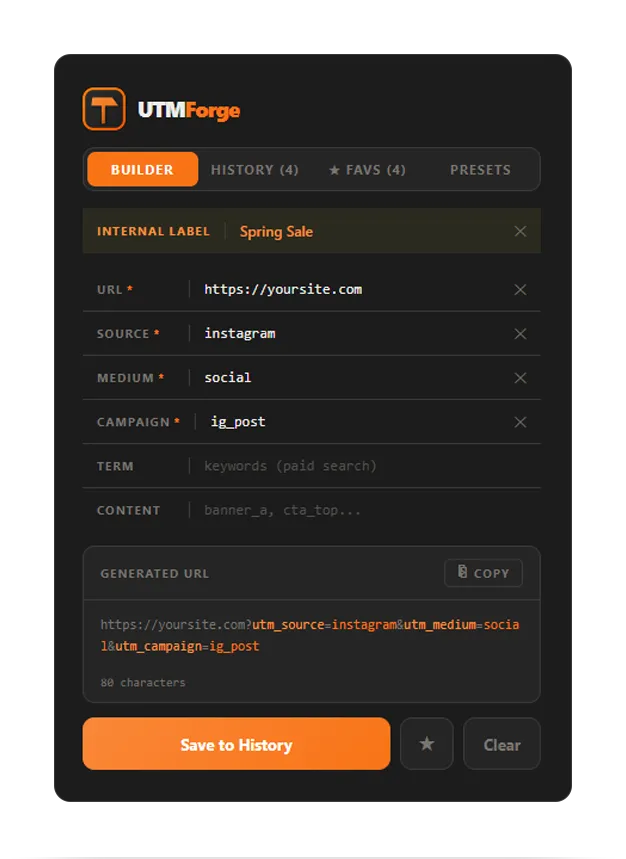
Inside the Extension
UTM Forge handles the full tagging workflow from your toolbar, so a correct link is faster to build than a broken one is to fix.
Builder
- Live color-coded preview as you type
- All five params: source, medium, campaign, term, content
- Clean tagged URL ready to copy
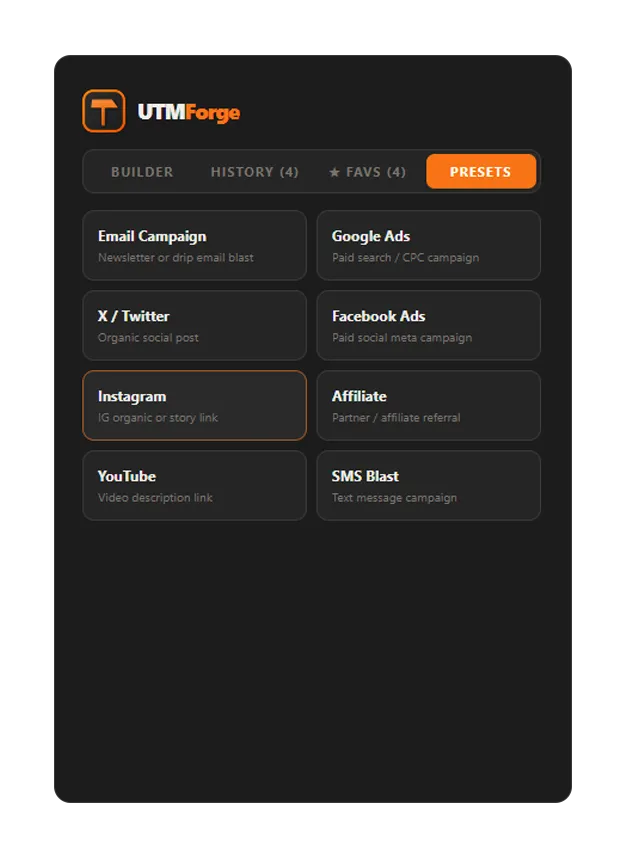
Presets
- One-click presets pre-filled with source and medium
- Start from a known baseline, not a blank form
- Keep naming consistent across a whole team
History and labels
- Every link you build is saved automatically
- Search by campaign, source, or label
- Add a private internal label for future you
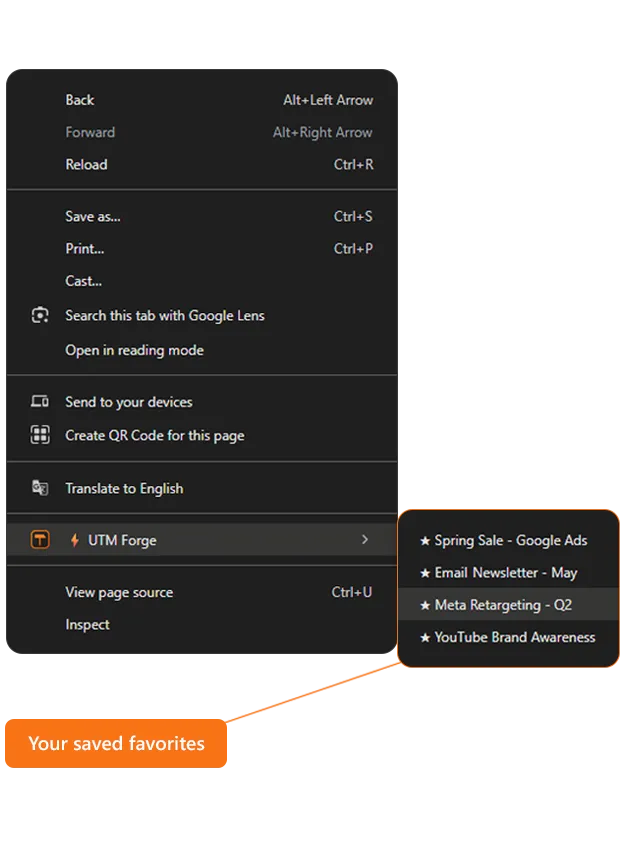
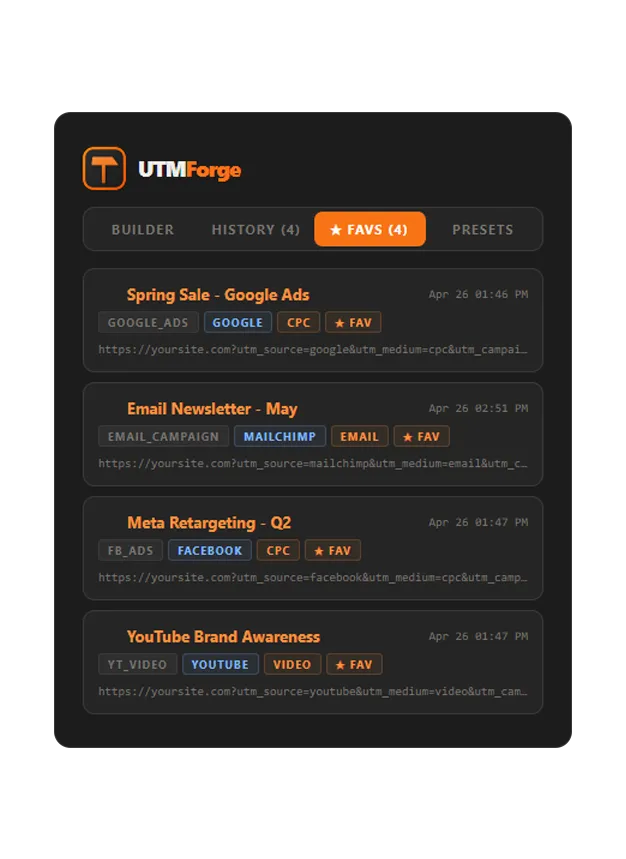
Favorites and right-click
- Star the UTMs you reuse most
- Right-click any page to copy a favorite instantly
- Create UTM from this page prefills a clean base URL
FAQ
- Is it free?
- Yes. UTM Forge is free to install.
- Where is my data stored?
- Your presets, history, and favorites are saved locally in your browser. Nothing is sent to external servers.
- Can I copy a saved UTM without opening the popup?
- Yes. Star a UTM as a favorite, then right-click any page and pick it from the UTM Forge menu to copy it instantly.
- Which parameters does it support?
- All five standard UTM parameters: source, medium, campaign, term, and content.
- How does it keep campaign names consistent?
- Presets lock in your source and medium values so the same names get reused every time. That stops GA4 from splitting one campaign across multiple rows because of casing or typos.
Your data stays private
Your presets and history live entirely in your browser.