QR Forge
QR CODES// QR codes made easy
QR Forge makes branded QR codes for links, Wi-Fi, contact cards, and more. Add your own colors and a logo, then download a sharp PNG or a print-ready SVG. It can even scan codes back from any image, with no watermark.
Add to Chrome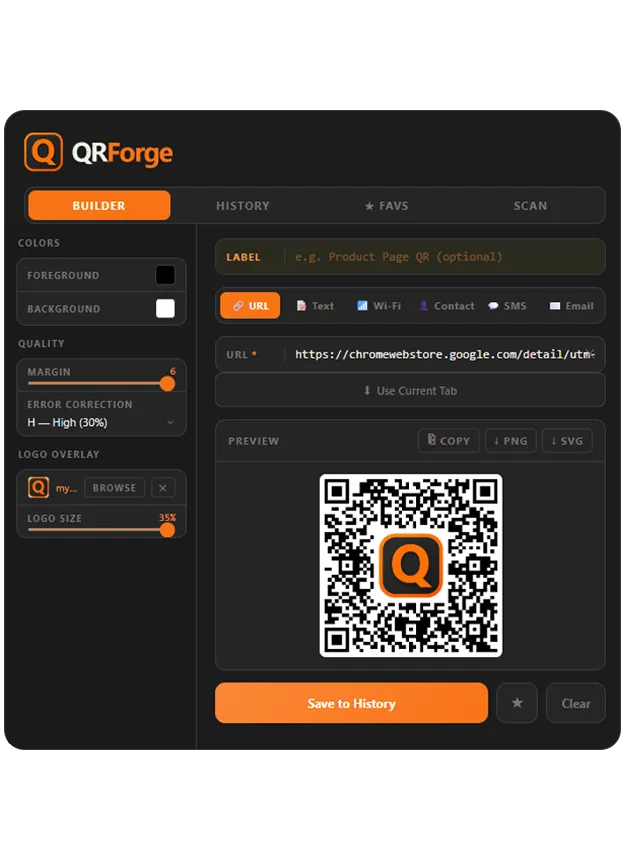
Inside the Extension
More than a one-click generator. QR Forge builds codes that carry your brand and actually scan, then keeps them organized.
Builder
- Live preview that updates on every keystroke
- Change a color or logo and see it instantly
Six content types
- URL and plain text
- Wi-Fi network credentials
- Contact card (vCard)
- SMS and email
Branding
- Custom foreground and background colors
- Logo overlay with scan-safe zones
- Error-correction levels, adjustable margin
- No watermark
Export
- High-resolution PNG for screen
- Vector SVG that scales for print
- Copy straight to clipboard
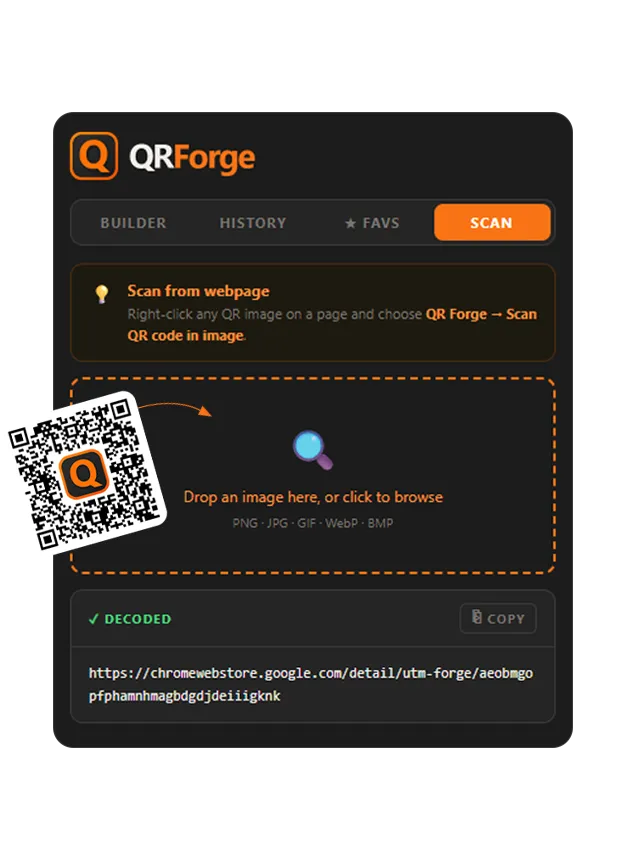
Built-in scanner
- Drag an image in to decode it
- Right-click any QR image on a page to scan it
History and favorites
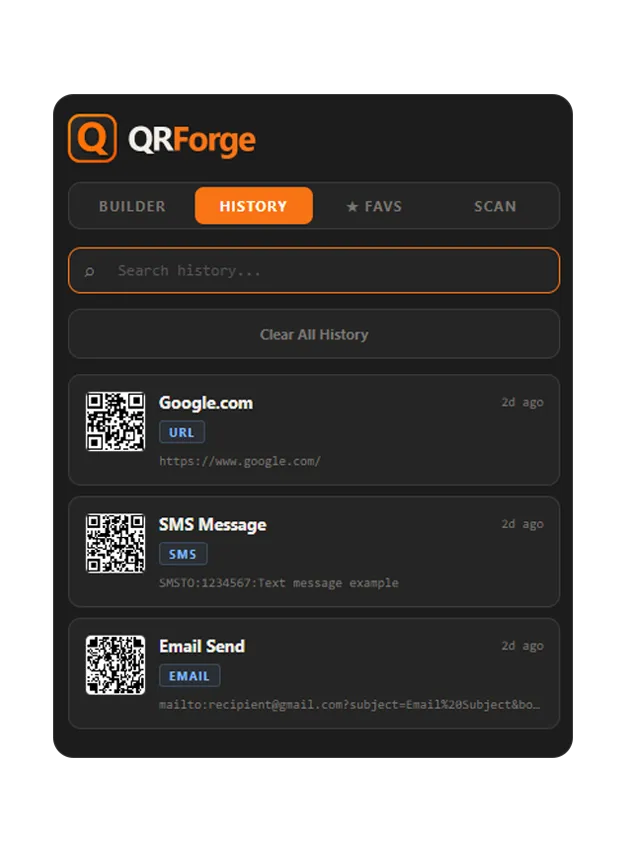
- Every QR saved and searchable
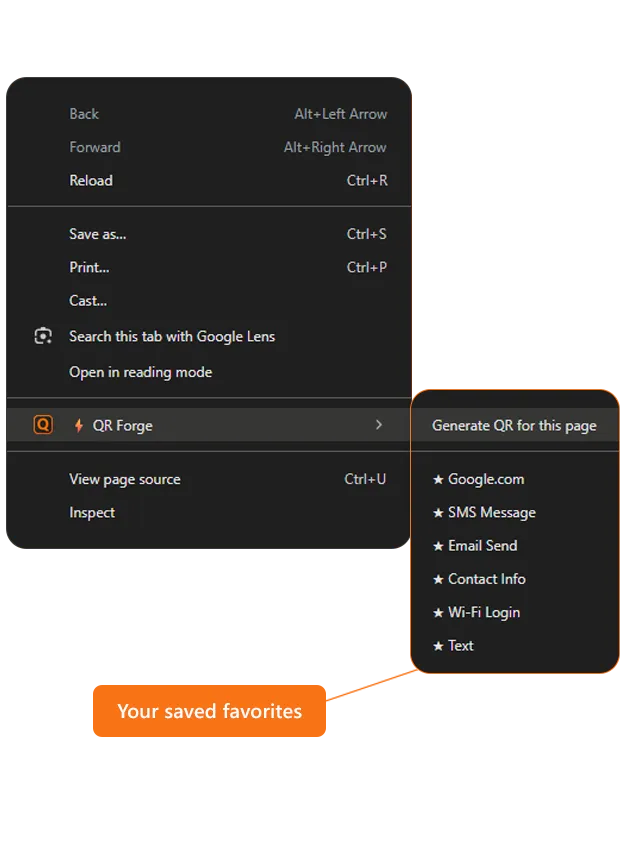
- Star the ones you reuse
- Right-click a page or selection to generate
FAQ
- Is it free?
- Yes. QR Forge is free to install.
- What can the codes contain?
- Six types: a URL, plain text, Wi-Fi credentials, a contact card (vCard), an SMS, or an email.
- Can I add my logo and brand colors?
- Yes. Set custom foreground and background colors and drop a logo in the center. Error-correction settings keep the code scannable with a logo over it.
- PNG or SVG?
- Both. Download a high-resolution PNG for screen or a vector SVG that scales cleanly for print. No watermark either way.
- Can it read existing QR codes?
- Yes. Drag an image into the Scan tab, or right-click any QR image on a page to decode it without leaving the tab.
Your codes stay private
Your codes are generated and stored locally in the browser.